Free Custom QR Code Generator
with Logo & Vector SVG
Generate high-reliability QR codes for websites, WhatsApp, Wi-Fi networks, Contacts, and UPI. Customize colors, linear gradients, and shapes, embed your logo, and export in SVG, PNG, JPG, or PDF.
Free QR Code Generator
AuraQR is 100% free with unlimited QR generation and zero scan limits or hidden trial expirations.
Multiple QR Types Supported
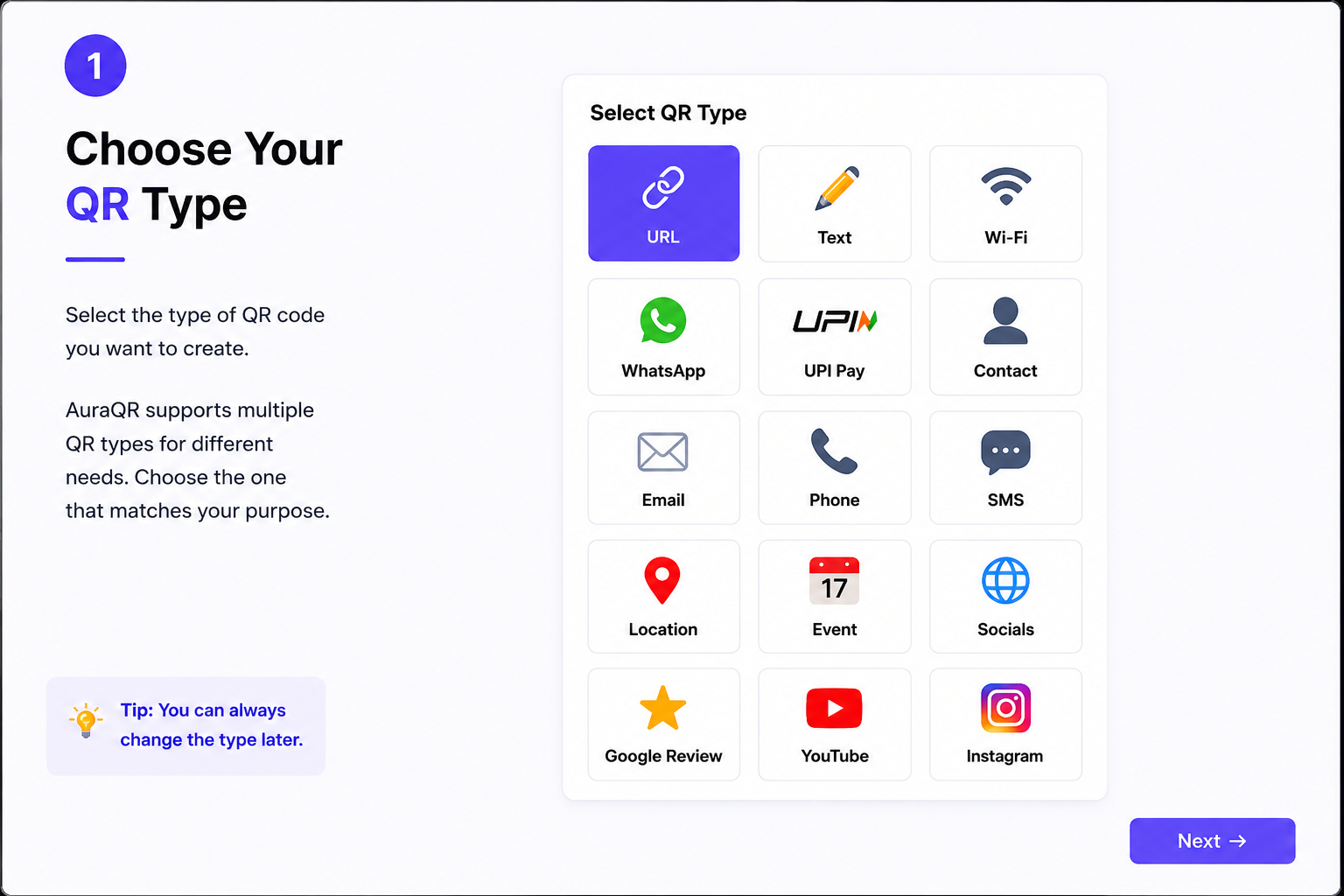
Create QR codes for website URLs, plain text, Wi-Fi login, WhatsApp, UPI payment, vCard contact, Email, SMS, Location, and Social Media profiles.
Custom Designs & Gradients
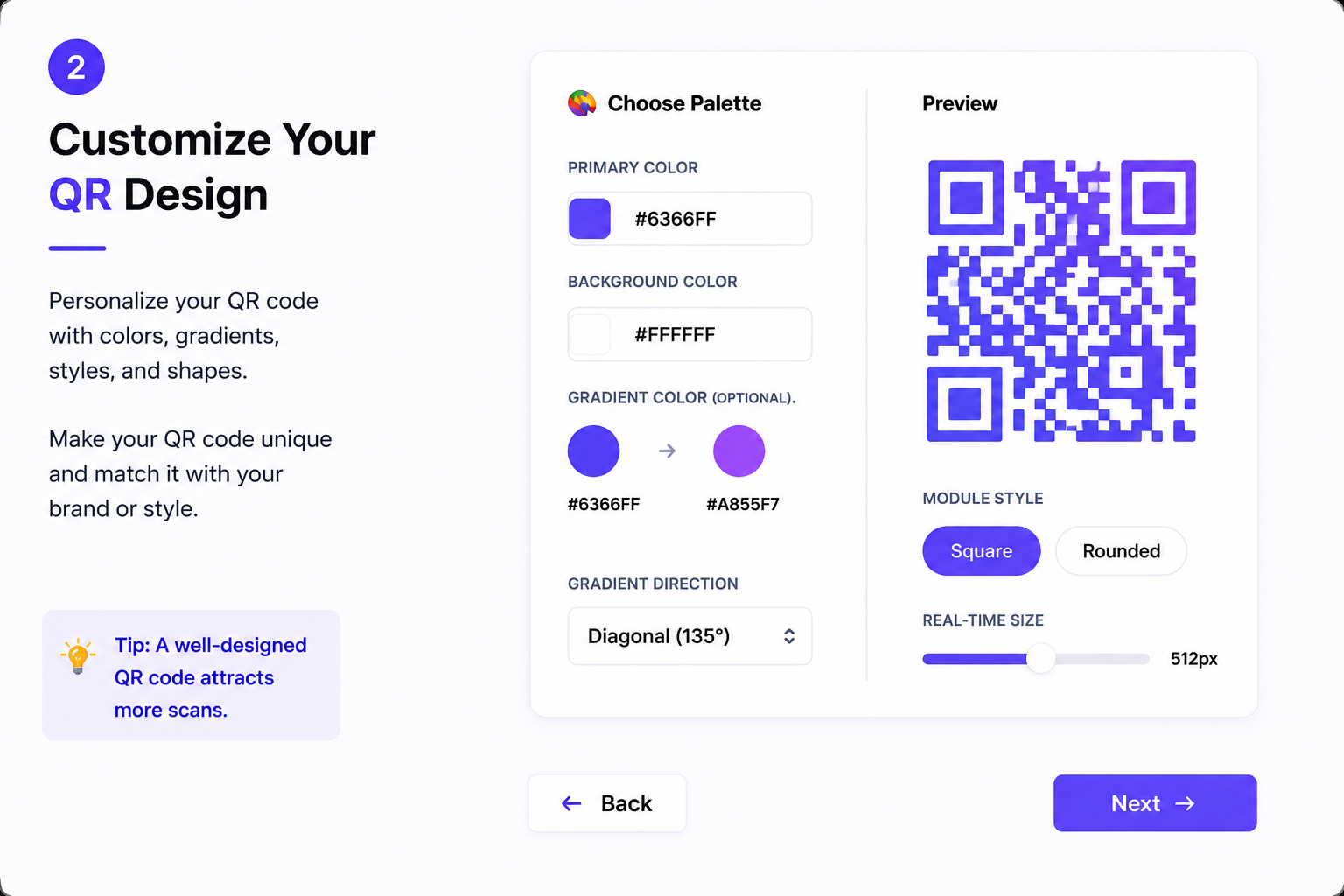
Personalize your QR codes with vibrant custom foreground colors, background shades, linear gradients, and soft module corner shapes.
Logo Support
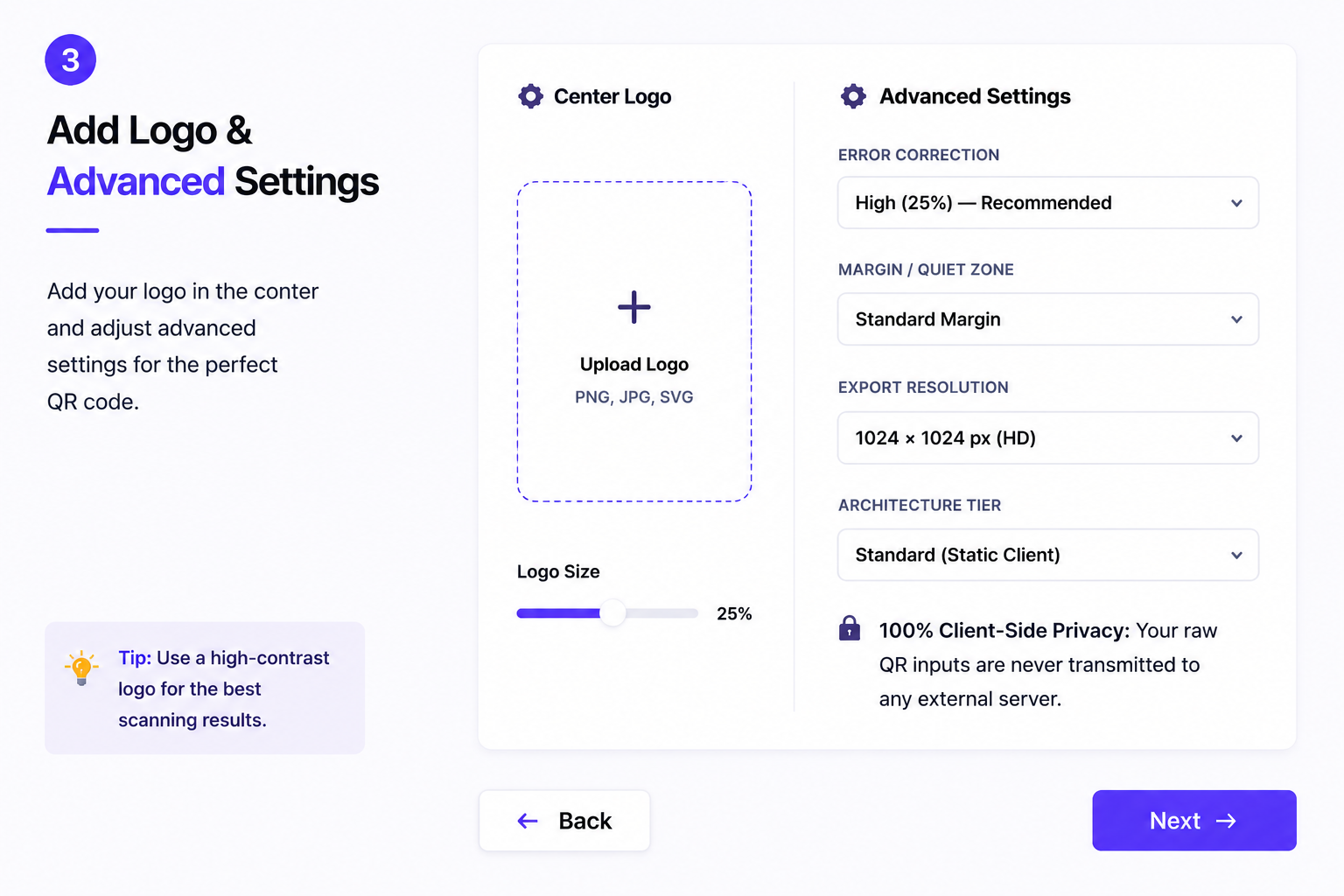
Upload your brand logo or custom image icon directly into the center of the QR code with automatic error correction scaling.
High Resolution Exports
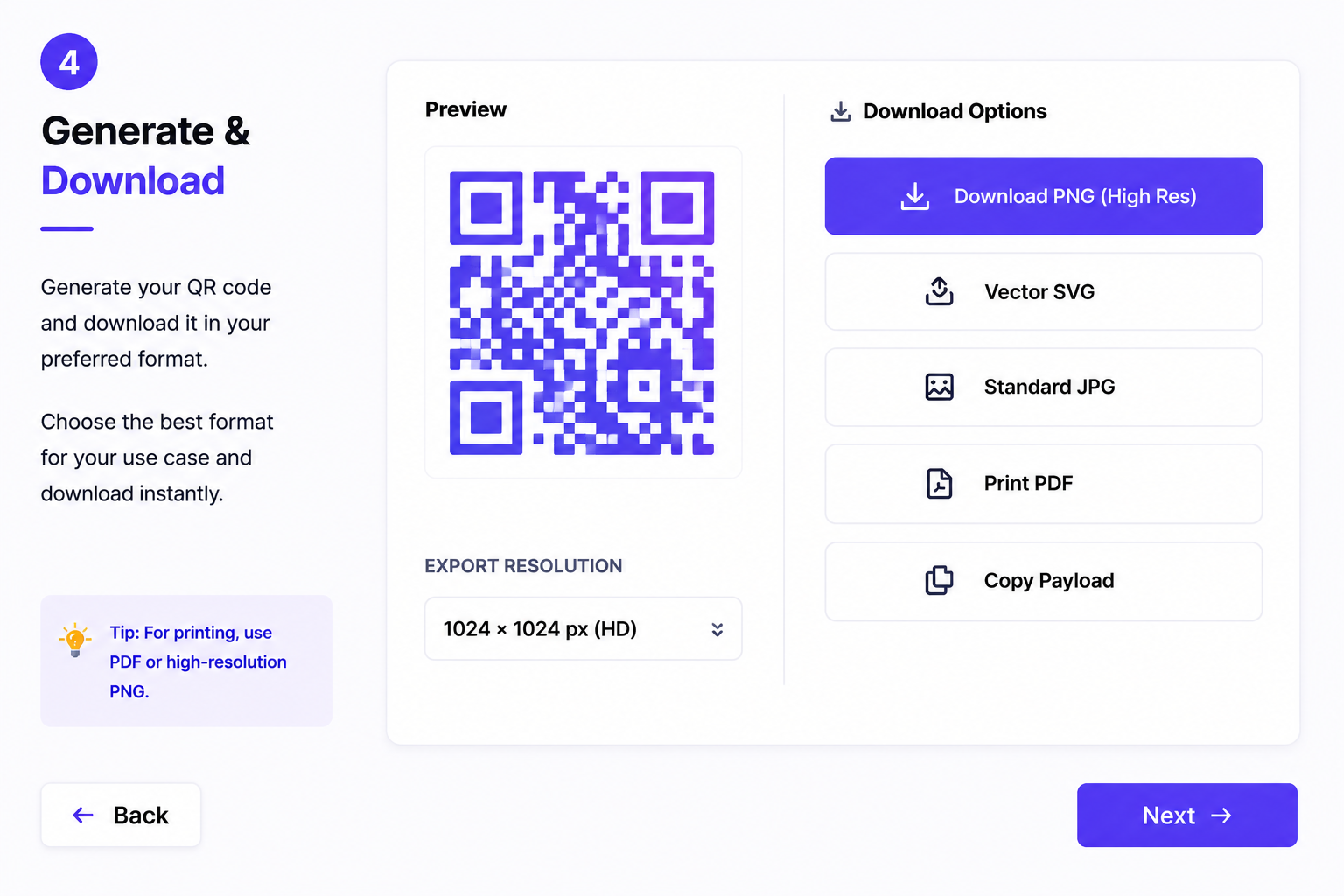
Download crisp, high-resolution QR codes in PNG, JPG, print-ready PDF, or scalable vector SVG format for billboards and packaging.
Privacy Focused Architecture
100% client-side privacy. Your Wi-Fi passwords, contact numbers, and payload inputs are never transmitted to external servers.
Understanding QR Codes with AuraQR
A QR code is a two-dimensional barcode that can store information such as website links, text, contact details, Wi-Fi credentials, email addresses, phone numbers, locations, event information and payment details. A smartphone camera or QR scanner can read the code and open the information stored inside it.
AuraQR is a browser-based QR code generator designed to make QR creation simple and accessible. You can enter your information, customize the appearance of the QR code, preview it and download the generated code directly from your browser.
What can you create with AuraQR?
Different types of information require different QR formats. AuraQR provides dedicated options for common use cases, including:
- Website and URL QR codes
- Plain text QR codes
- Wi-Fi sharing QR codes
- WhatsApp and social media QR codes
- UPI payment QR codes
- Contact and vCard QR codes
- Email, phone and SMS QR codes
- Location and event QR codes
How does a QR code work?
When you generate a QR code, the information you provide is converted into a machine-readable pattern of modules. When a compatible camera or scanner detects that pattern, it decodes the stored information and performs the appropriate action, such as opening a website, displaying text, connecting to Wi-Fi or preparing payment information.
QR Code Privacy & Security
The information encoded in a QR code depends on the content entered by the person creating it. Before sharing a QR code, always check the information it contains and make sure that it does not expose private information unnecessarily.
Check your QR code before sharing
- Verify the website URL or other information before downloading.
- Avoid encoding sensitive information unless it is necessary.
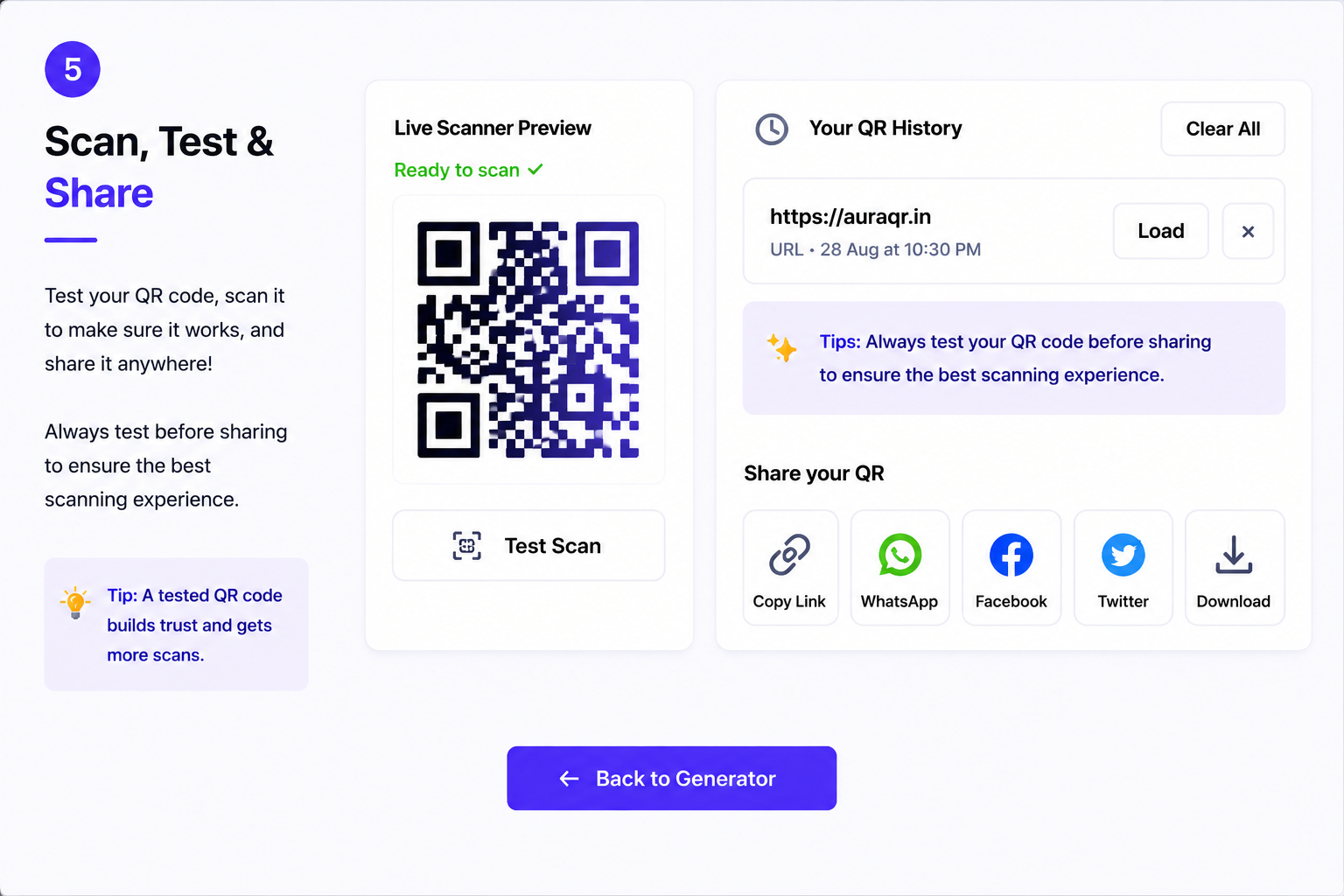
- Scan and test the generated QR code before publishing or printing it.
- For business use, make sure the destination link remains active.
- Review QR codes periodically when they are used on printed materials.
Static QR codes and destination links
A static QR code contains the information encoded when it is generated. If a static QR code contains a website URL, changing the destination normally requires creating a new QR code with the updated URL. This is different from a dynamic QR system where the destination can be managed through a separate service.
What is a QR Code? +
A QR (Quick Response) code is a machine-readable optical barcode containing data that can be quickly scanned by smart devices and camera apps to direct users to links, contacts, or payments.
How do I create a QR Code? +
Simply choose your data type (e.g. Website URL), enter your text or URL, customize the colors and module shapes, and click download to get your high-resolution image.
Is AuraQR free? +
Yes, AuraQR is 100% free forever. There are no scan caps, trial periods, or hidden subscriptions.
Do I need to create an account? +
No account or registration is required. You can generate unlimited custom QR codes instantly upon opening the page.
What QR Code types are supported? +
AuraQR supports 12 dynamic types: Website URLs, Plain Text, Wi-Fi credentials, WhatsApp direct chat, UPI payment links, vCard contacts, Email, Phone dialing, SMS, Map Locations, Calendar Events, and Social Media profiles.
Can I add a logo to my QR code? +
Yes! You can upload any image icon (PNG, JPG, SVG) to center inside your QR code. AuraQR automatically increases error correction to preserve scan fidelity.
Will my QR Code expire? +
No. All QR codes created on AuraQR are standard static codes. They store raw data directly inside the matrix, meaning they work permanently without expiring.
Which download formats are supported? +
You can export QR codes in high-definition PNG, standard JPG, print PDF, and pure scalable Vector SVG format.
Why is my QR Code not scanning? +
Ensure there is sufficient color contrast between the primary modules and the background. If using a logo, increase the Error Correction level to Q (25%) or H (30%).
Is my data stored on any server? +
No. All barcode generation logic is performed 100% locally in your browser. Your sensitive payload data is never transmitted to an external server.
Choosing the Right QR Code Type
The right QR code type depends on the information or action you want people to access. Choosing the appropriate format can make scanning easier and provide a clearer experience for users.
Common QR code use cases
- URL: Use a URL QR code to open a website or web page.
- Wi-Fi: Share a network name and password without manually typing them.
- WhatsApp: Help users open a WhatsApp conversation or link.
- UPI: Share payment information for supported UPI payment workflows.
- Contact: Share contact information through a vCard-style QR code.
- Email: Create a QR code that can open an email action.
- Phone & SMS: Make it easier for users to initiate a call or message.
- Location: Share a geographic location through a QR code.
- Event: Share event-related information in a scannable format.
- Social Media: Direct visitors to social profiles or social links.
Tips for creating a reliable QR code
Keep sufficient contrast between the QR code and its background, avoid covering important QR modules, and test the final code with a smartphone before printing or publishing it. For printed materials, test the actual printed size as well as the digital version.
Have feedback or questions about AuraQR? Send us a message below.